
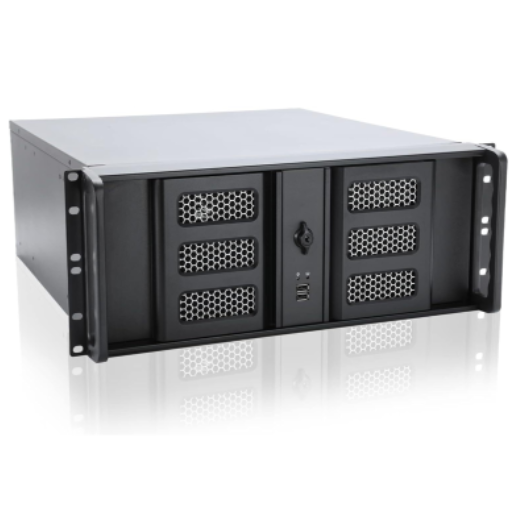
 AV9000 Director
The main brain for larger systems. It coordinates media, scenes, effects, pixel mapping, and remote devices.
Visual control, made simple.
AuraView helps teams control video, digital signs, audio, lighting, and remote locations without juggling a pile of separate tools.
Hardware
Use one system for players, encoders, decoders, overlay processors, and central control.
AV9000 Director
The main brain for larger systems. It coordinates media, scenes, effects, pixel mapping, and remote devices.
AVx4-Series
Four-channel overlay processors for video walls, control rooms, and larger display systems.
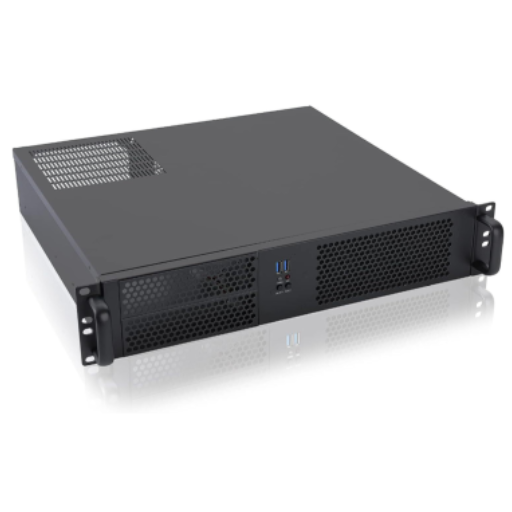 AVx2-Series
Two-channel processors for signs, studios, rooms, and smaller video walls.
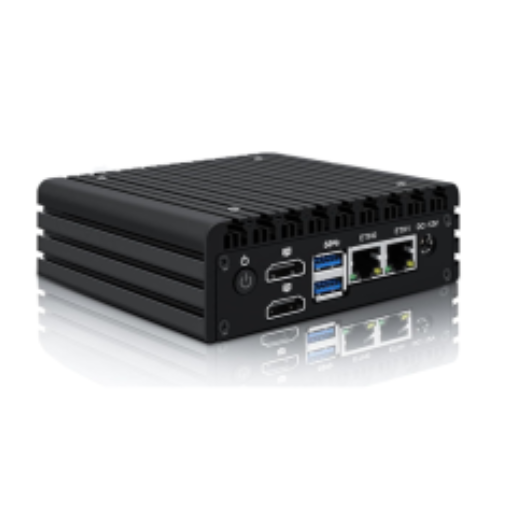 AVx2-mini
A compact processor for kiosks, small installs, and simple two-screen output.
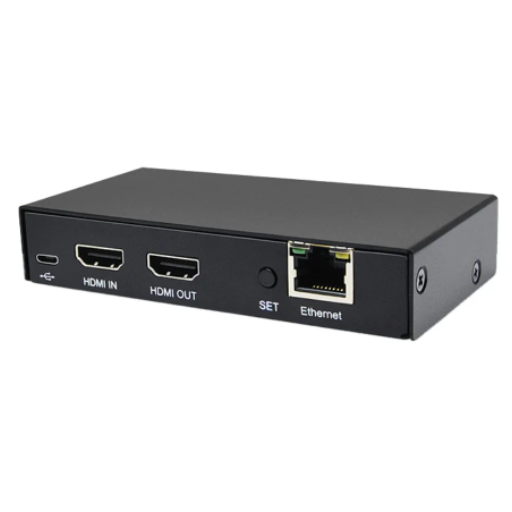 AVE-Series
Turns HDMI into network video, or network video back into HDMI. Also supports common stream formats.
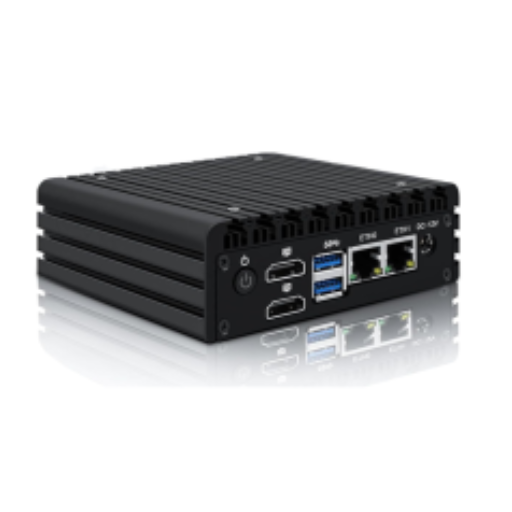 AVP-Series
Media players for schedules, slates, announcements, and synchronized playback.
Capabilities
Each feature starts simple. Open the details only when you want the technical pieces.
AuraView can work with common video connections and network streams, depending on the hardware selected.
Use the right stream type for the job, from local low-latency video to remote contribution feeds.
Operators can recall polished looks without rebuilding them every time.
Put content on a calendar, send it to the right locations, and let the system handle playback.
Use one scene across multiple displays and keep motion aligned.
Remote devices can download what they need ahead of time, verify it, and keep playing if a connection goes down.
AuraView can work with BSS Soundweb London BLU systems for routing, level, mute, meters, and preset recall.
Use lighting cues for signs, stages, immersive rooms, and architectural accents.
Use tablets, touch displays, contact closures, cameras, radar, or LiDAR when the project needs interaction.
AuraView is designed around a web control surface with roles, clear pages, and remote device management.
Where it fits
AuraView is flexible because many projects need the same basics: get content in, make it clear, send it out, and keep it running.
Show cameras, dashboards, alerts, and operator messages across a wall or room.
Schedule signs, menus, product messages, and live announcements across many locations.
Switch looks, start playlists, control room sound, and trigger lighting cues from one place.
Bring in cameras, add lower thirds or logos, and send clean feeds to screens or streams.
Let touch, QR codes, cameras, or sensors change what people see on the screen.
Prepare content once, push it to the right sites, and verify the devices are ready.
Model guide
Use this as a quick guide. Final hardware depends on the number of sources, displays, and sites.
| Model | Plain name | Inputs | Outputs | Max video | Best for | Notes |
|---|---|---|---|---|---|---|
AV9000 | Director Central Processor | 0 | 0 | N/A | Main controller | AI effects, pixel mapping, AVE/AVP coordination, and fleet control. |
AV44-4k | 4x4 4K Overlay Processor | 4 | 4 | 3840x2160 @ 60 | Large 4K systems | Supports up to 8 AVE or AVP units. |
AV44 | 4x4 Overlay Processor | 4 | 4 | 1920x1080 @ 60 | Large HD systems | Supports up to 16 AVE or AVP units. |
AV04-4k | 4 Output 4K Overlay Processor | 0 | 4 | 3840x2160 @ 60 | 4K display walls | Supports up to 8 AVE or AVP units. |
AV04 | 4 Output Overlay Processor | 0 | 4 | 1920x1080 @ 60 | HD display walls | Supports up to 16 AVE or AVP units. |
AV22-4k | 2x2 4K Overlay Processor | 2 | 2 | 3840x2160 @ 60 | Two-screen 4K systems | Supports up to 4 AVE or AVP units. |
AV22 | 2x2 Overlay Processor | 2 | 2 | 1920x1080 @ 60 | Two-screen HD systems | Supports up to 8 AVE or AVP units. |
AV02-4k | 2 Output 4K Overlay Processor | 0 | 2 | 3840x2160 @ 30 | Simple 4K output | Supports up to 4 AVE or AVP units. |
AV02 | 2 Output Overlay Processor | 0 | 2 | 1920x1080 @ 60 | Simple HD output | Standalone two-output overlay processor. |
AV02-Mini | 2 Output Mini Overlay Processor | 0 | 2 | 1920x1080 @ 30 | Kiosks and small installs | Compact standalone output. |
AVE40-4k | 4 Input 4K Encoder | 4 | 0 | 3840x2160 @ 60 | Many 4K sources | Requires an overlay processor. |
AVE1 | 1080p Encoder / Decoder | 1 | 1 | 1920x1080 @ 60 | Single HD source or display | Supports up to 1 USB camera. Requires an overlay processor for full system use. |
AVE1-4k | 4K Encoder / Decoder | 1 | 1 | 3840x2160 @ 60 | Single 4K source or display | Supports up to 2 USB cameras. Requires an overlay processor for full system use. |
AVP1-4k | 4K Player | 0 | 1 | 3840x2160 @ 60 | Single 4K playback | Requires an overlay processor for full system use. |
AVP2-4k | 2 Output 4K Player | 0 | 2 | 3840x2160 @ 60 | Two-screen 4K playback | Requires an overlay processor for full system use. |
Contact
A short note is enough. Share the number of screens, sources, rooms, or sites, and we can help map the right system.